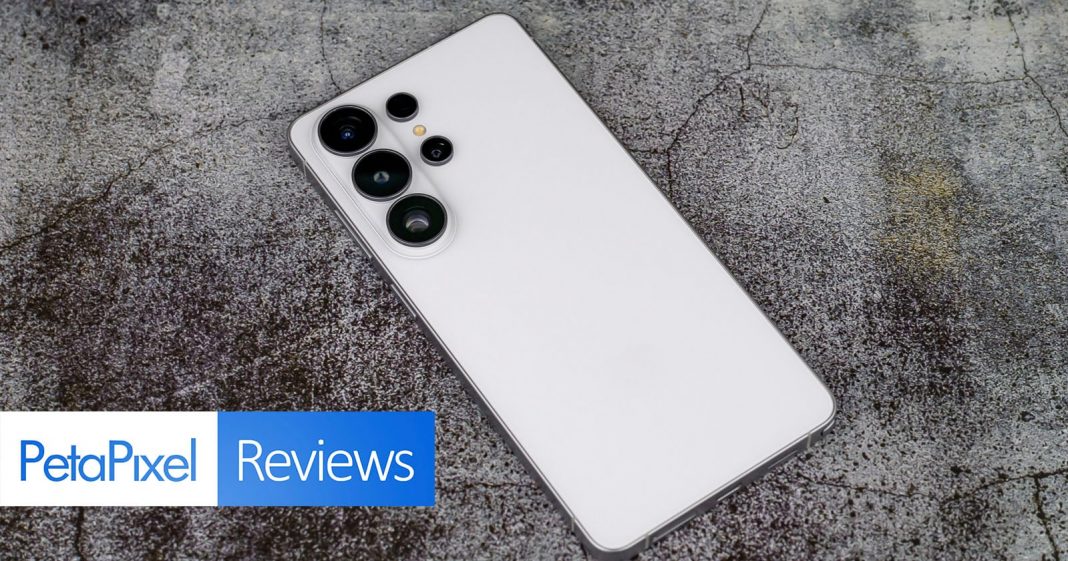

A wet and rainy San Francisco was the venue for this year’s Galaxy Unpacked launch event and the testing ground for shooting the new Samsung Galaxy S26 Ultra. The Ultra model is priced at $1,299, which is the same as last year’s model. I’m going into this review with the usual intention of testing this phone more as a camera and seeing how it stacks up as a creative tool.
Last year’s Galaxy S25 Ultra felt like a very minor update, especially in terms of hardware, and the direction Samsung was going was clearly AI-driven. I drove to the launch event fearing more of the same. I think it’s fair to say that Samsung has a conservative approach to phone design, except when it comes to artificial intelligence.
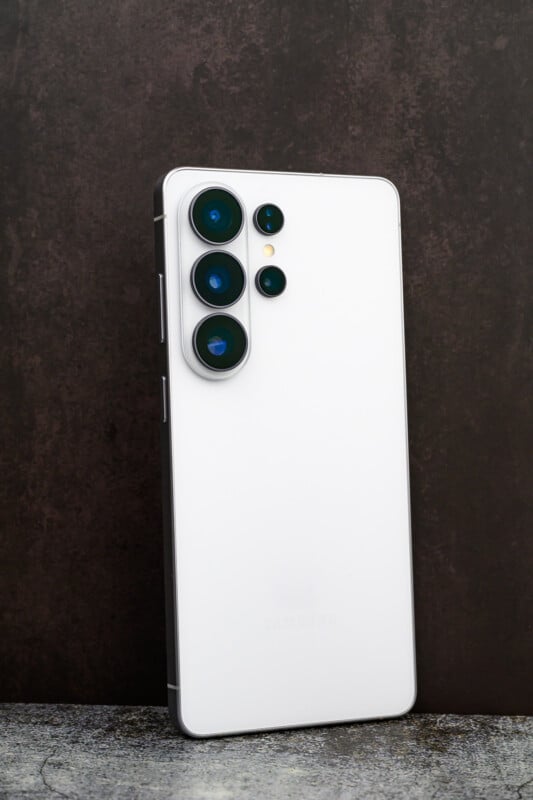
Samsung S26 Ultra Review: The Design
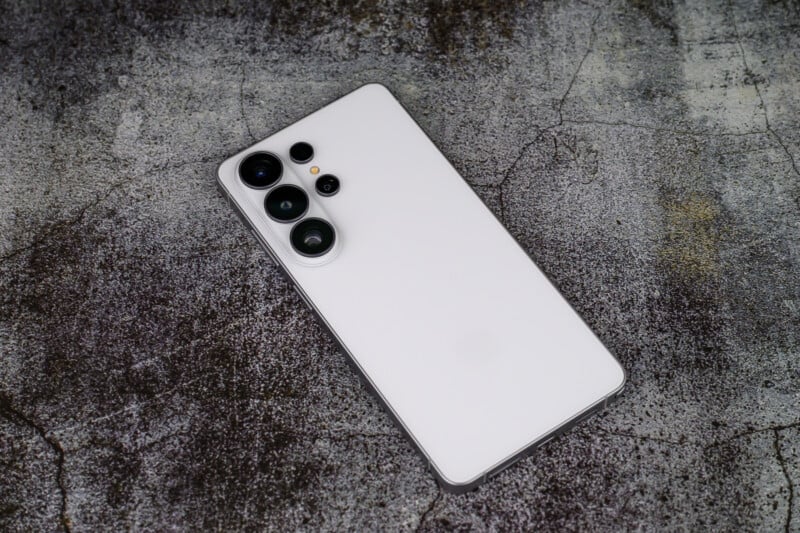
Speaking of conservative design, the S26 line of phones looks essentially identical to last year’s models. There is a new sky blue and cobalt violet colorway to go with the classic black and white standards, but all of these colors are largely understated. We see the return of the gentle, curved corners that now grace all S26 models, and the same 6.9-inch AMOLED display with 2,600 nits of peak brightness. This display uses Samsung ProScaler technology to enhance resolution and color at a glance. The phone can also display imagery with native 10-bit support using its latest mDNLe technology.
The battery hasn’t changed either, with the same 5000mAh capacity. However, the S26 Ultra does feature the latest Snapdragon 8 Elite processor, now in its fifth generation. Not only is this essential to power the latest AI technology, but it should also improve overall battery life. Samsung has also created a new 2nd Gen AP to run its latest phones.
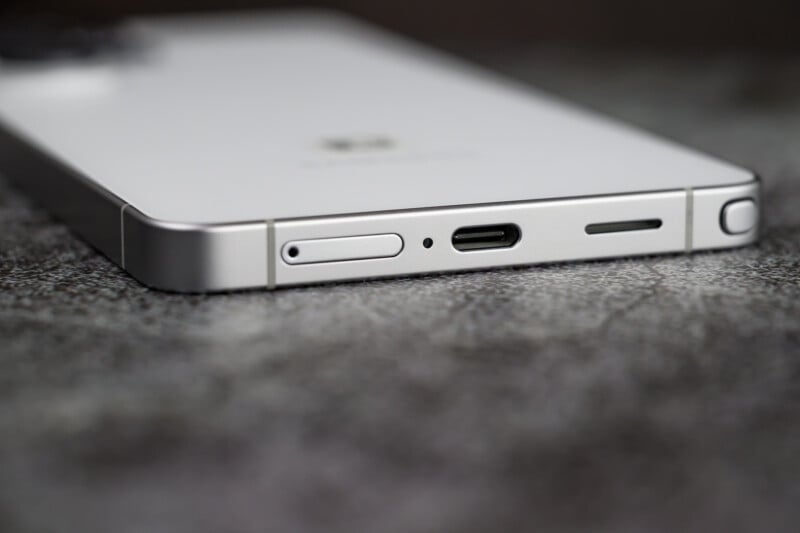
I feel like the previous phone construction trend was all about titanium. As strong as it is, the heat dissipation might not be ideal. Both Apple and Samsung decided to go back to aluminum on the latest phones, along with updates to the vapor chamber, in an effort to control heat. We also see the return of Corning Gorilla Glass 2 for screen protection. Samsung has developed the S26 Ultra as its thinnest phone yet, and it weighs an easy-to-carry 7.5 ounces (214 grams).

The S Pen stylus returns to facilitate circle-to-search functions, allow for handwriting to convert to text, and draw doodles to turn into creative stickers. However, it still does not support remote photography shooting. The phone can also charge quite a bit faster this year with support for wired charging up to 60 watts, and wireless up to 25 watts.
Samsung S26 Ultra Review: Agentic Features
Samsung wants to make AI for everyone. In fact, this is the mantra for the S26 Ultra. AI technology is a tricky entity. In the photography world, it is rightfully received with skepticism and concern. However, it also brings some useful benefits and conveniences to the quality-of-life improvements within a phone. We have to appreciate that a huge part of the Samsung experience involves powerful AI benefits that go beyond the scope of this review.
Being able to photograph a document and have AI remove wrinkles and coffee cup stains is legitimately useful. Using AI to screen your phone calls and pull the pertinent info out of your emails and texts is useful. Talking to your phone in more conversational ways and having it create schedules and make suggestions is useful. This only scratches the surface of what Samsung Agentic AI can do for you, but I am most concerned with how it affects my photos and videos.

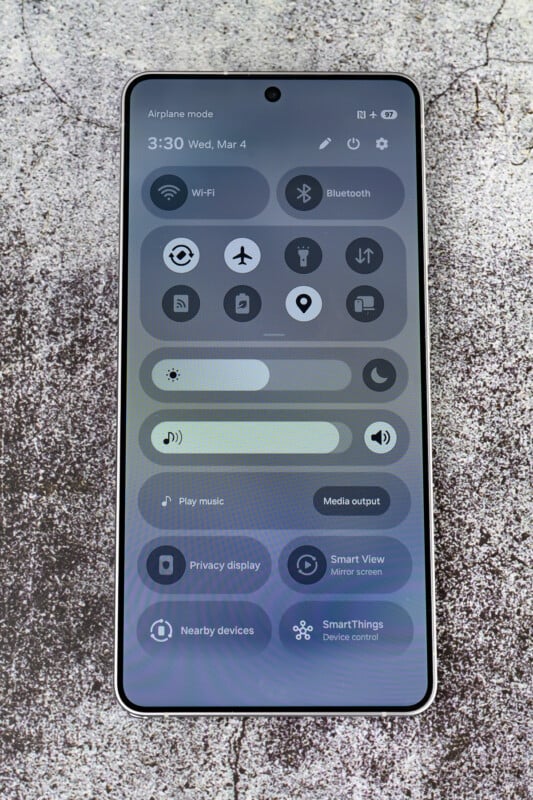
I found it very charming that the biggest fanfare at the launch event was for the Samsung Privacy Screen display. You can turn on the privacy display and customize it to work with specific apps, sensitive notifications, and important documents. At the cost of some brightness, it effectively prevents people from viewing your screen at any angle except straight on. This allows you to view whatever sensitive info you want without prying eyes seeing it.
Samsung S26 Ultra Review: The Cameras
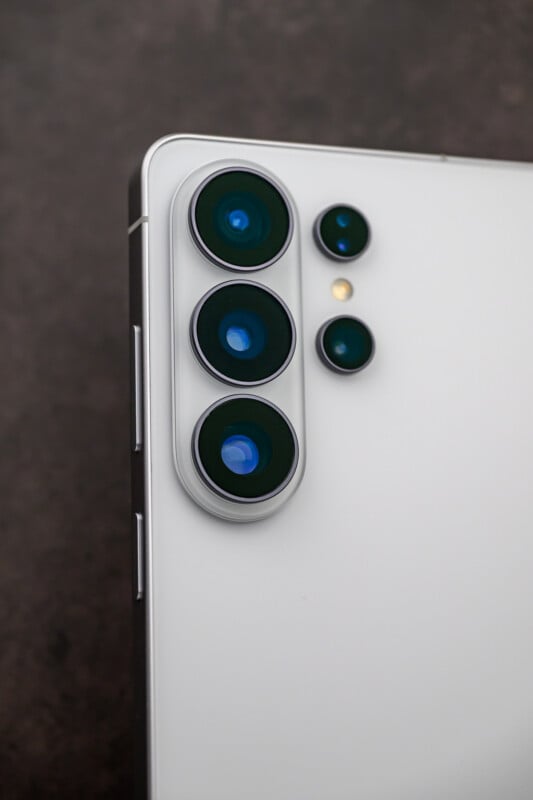
Okay, let’s get to the cameras. I criticized the S25 Ultra for recycling most of the camera hardware from the previous version. When I first heard about the cameras in the S26 Ultra, I was worried it was more of the same. You will find the exact same selfie camera, ultra-wide camera, 3x telephoto, and sensors across the board. However, the S26 Ultra gets significantly brighter lenses in front of the main and 5x telephoto sensors.


The ultra-wide camera is a decent optic with a 13mm full-frame equivalent field of view. It has a useful 50-megapixel Type 1/3.52 sensor mated to an f/1.9 lens. The close-up capability was improved on the S25 Ultra and continues forward on this phone.



The main camera is the powerful 200-megapixel Type 1/1.3 sensor. This year, we get a decent aperture upgrade from f/1.7 to f/1.4. This is quite the boost of light and will give a shallower depth of field and better low-light performance.
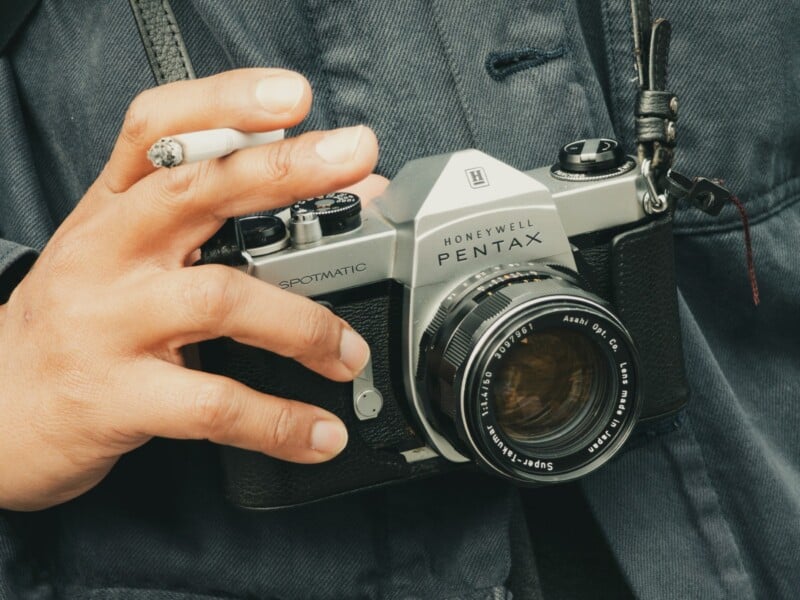
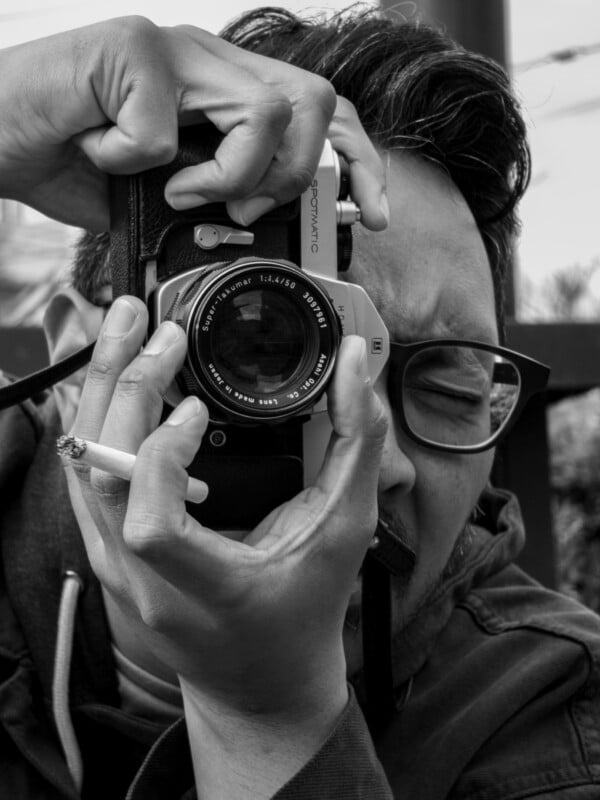
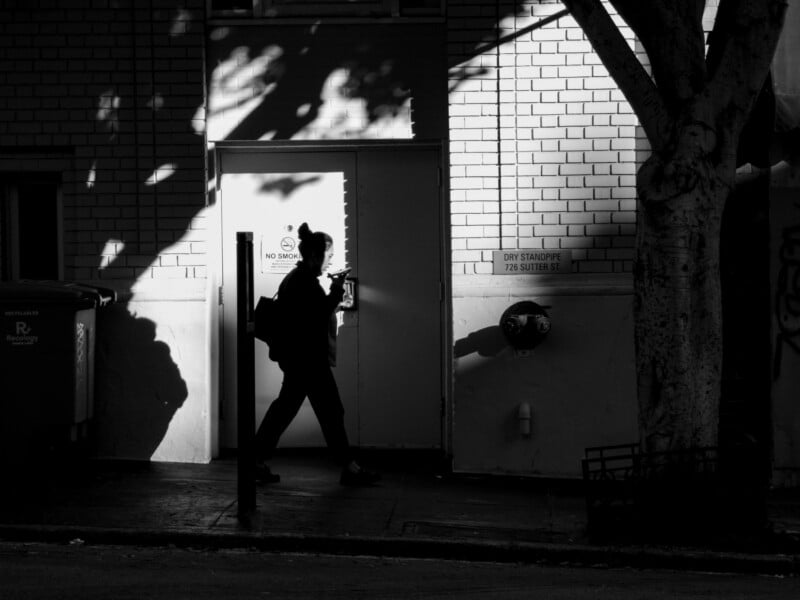
The anemic 3x telephoto with its f/2.4 makes a return with its 10-megapixel Type 1/3.52 sensor, which was already underpowered on the previous phone, so it feels downright prehistoric now. The overall image quality is noticeably poorer with this lens, especially considering the aperture upgrades on the other two cameras.

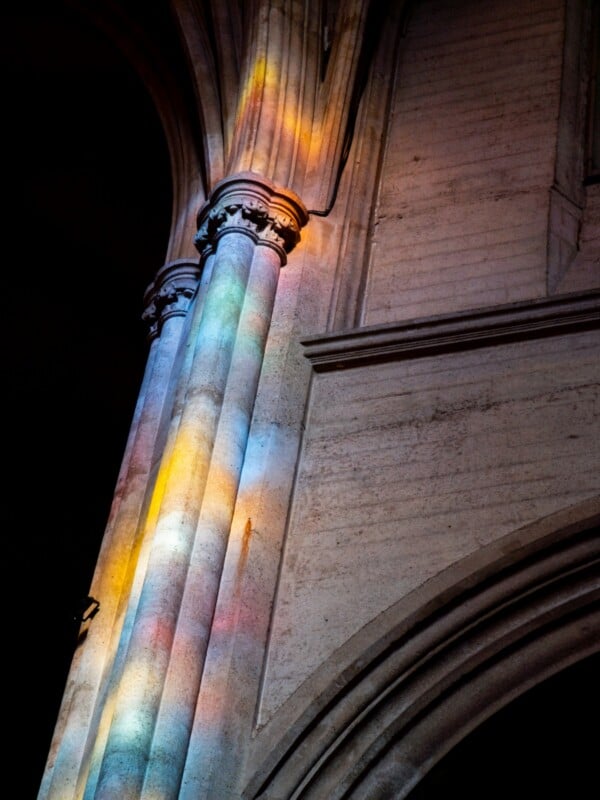
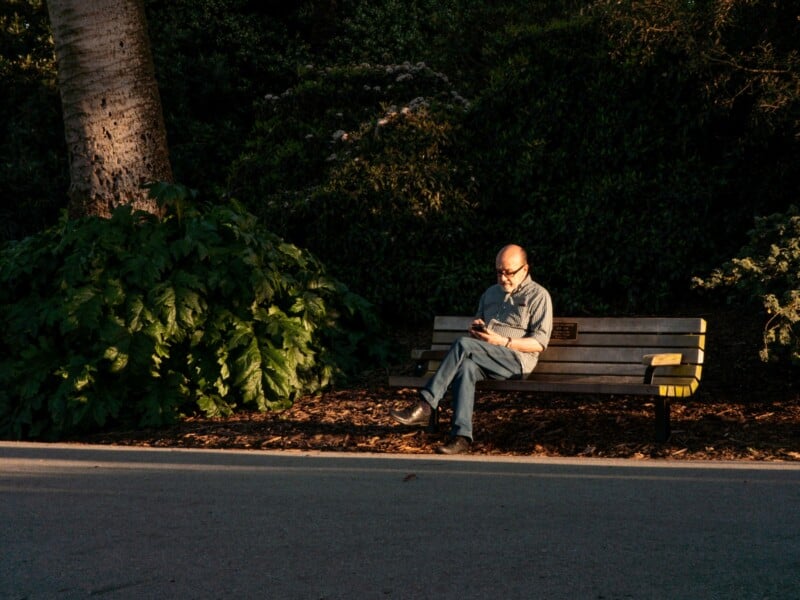
I was quite excited about using the 5x camera this time around because of the brighter f/2.9 aperture now. The 50-megapixel sensor is a Type 1/2.52 chip, and I actually prefer the extra telephoto distance compared to the 4x on the iPhone 17 Pro.



Lastly, the selfie camera is the same as what we have seen before in the S25 Ultra. This 12-megapixel Type 1/3.52 sensor is fine for selfie shots but lacks the sophistication found on the latest iPhone 17 Pro. You can choose between a couple of frame crops, and Samsung does have a robust series of portrait modes, filters, and AI beauty features that you can play with.
Samsung S26 Ultra Review: Image Quality
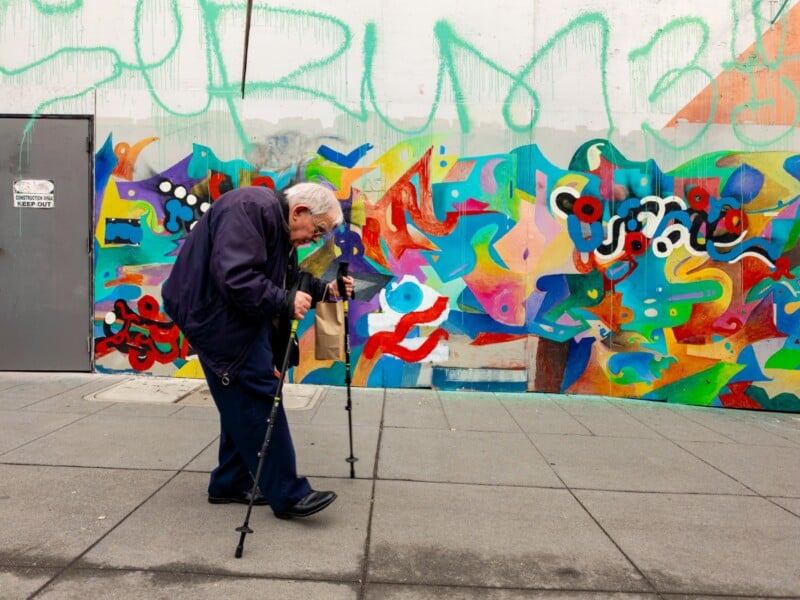
I always like the look of the Samsung images straight out of the camera. The white balance is neutral, the exposure quite accurate, and the vibrancy is vivid and eye-catching. Samsung images do have a propensity towards looking overprocessed, however, and reveal detail-sapping rendering upon closer inspection. There is a fair amount of noise reduction going on, and the detail pays the price every time. The strategy is that standard social media output will hide any issues, but more advanced photographers might have pause.
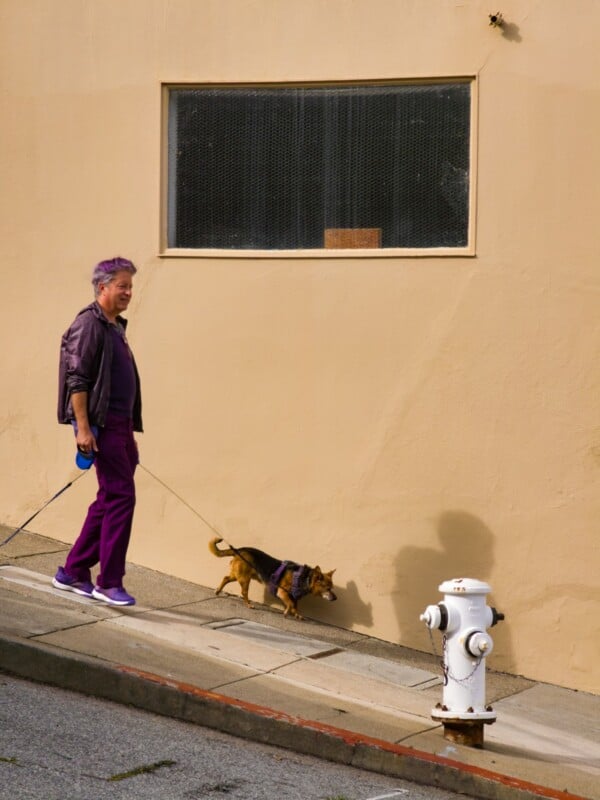


Samsung phones do a great job of outputting usable JPEG images, even before getting into generative AI editing. I especially like the aptly named Nightography mode, which lets you do longer exposures to reduce noise and enhance detail. Shooting in low-light situations is best served by either using the night mode or by editing RAW files in post. Samsung added a 24-megapixel resolution to basic automatic JPEGs, but you do not get this option for Pro RAW modes.
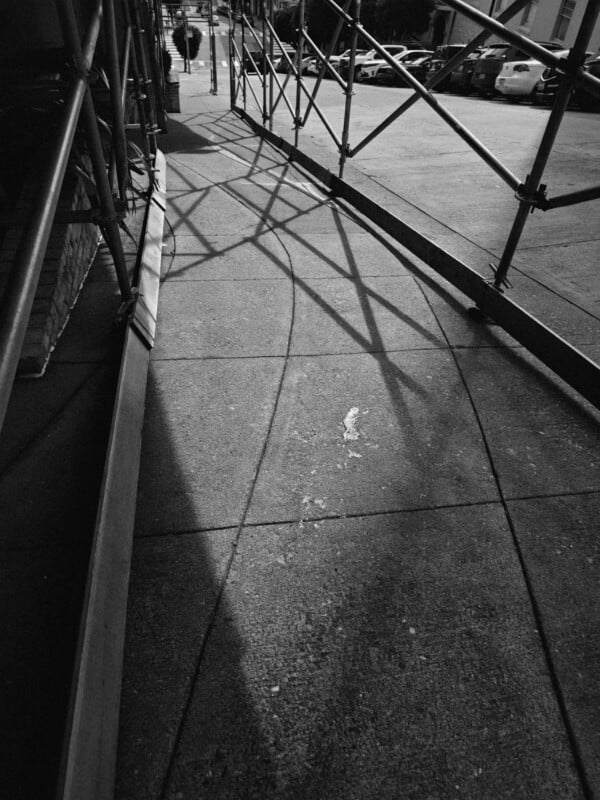


I tried to stick to a RAW-plus-JPEG workflow for my testing so I could see the results of both. In the Pro mode on the S26 Ultra, you get access to manual control and a RAW DNG file that is only slightly processed but is not an amalgamation of multiple images. You get access to both 12- and 50-megapixel modes, which is camera-dependent, of course. To be honest, I saw very little difference between these two resolutions in practical terms because the noise reduction required to clean up the images effectively wipes out any detail benefits. Samsung phones do manage to retain some level of highlight retention, and the shadows can be pushed a little too.


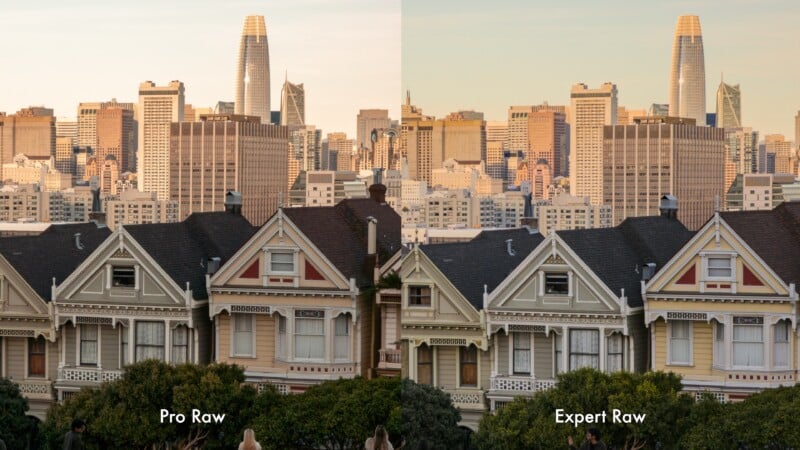
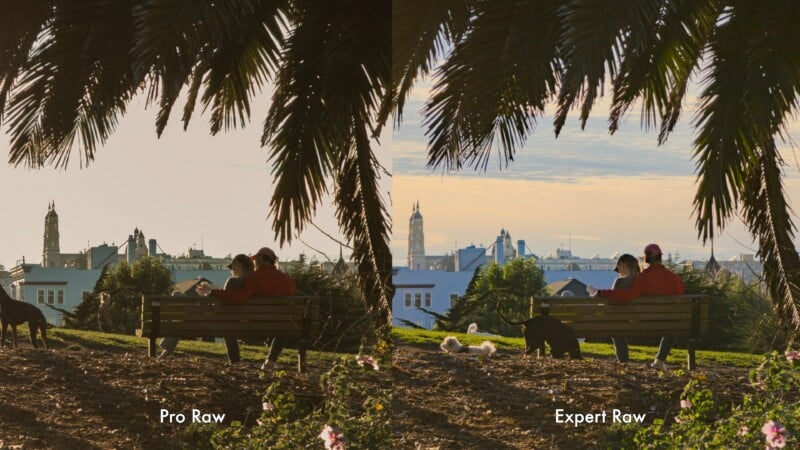
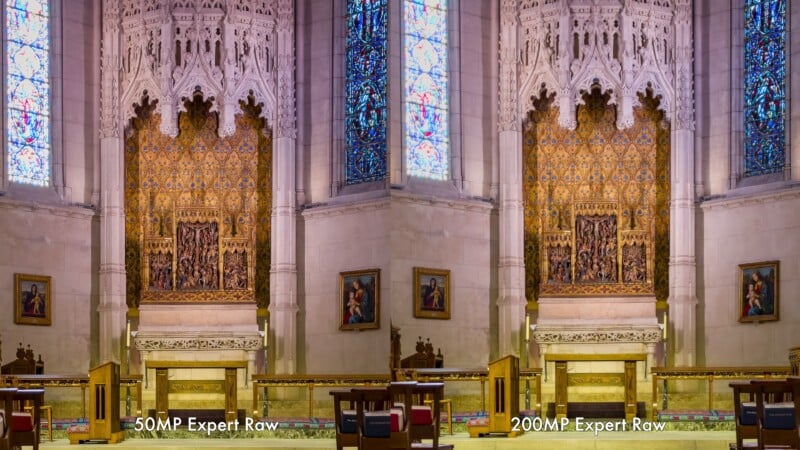
Expert RAW is definitely the better way to go for more serious work, with much better dynamic range due to the stacking of images. I noticed a substantial benefit in dynamic range compared to the Pro mode RAW files, and the detail had a less over-processed look to it. Noise reduction is still a good idea, but it is far less destructive in Expert RAW mode. Shooting expert RAW in 24-megapixel mode seems to give an ideal compromise between detail and noise reduction, and I wish I had shot more images at this resolution. Regardless, photographers wishing to reap the benefits of RAW photography should stick to the Expert RAW app to get the best possible editing potential out of the S26 Ultra. Just like last year, there is a minor benefit to shooting in the 200-megapixel mode when the situation suits it. The main camera can deliver this extra resolution, and it is noticeable, but the utility of this mode is very specific to the situation.

Portrait mode is largely the same as before, with good depth maps and digital bokeh. The S26 Ultra can very accurately trace around stray hairs, and the transition of focus looks quite natural. You can adjust the depth of field while taking a shot, or afterward when editing the image if you desire. I also like that the telephoto 5x lens has a faster aperture, resulting in more natural-looking depth of field before any processing is performed.


My only real complaint with the S26 Ultra camera app is the sheer complexity of it all. It’s very easy to forget to set the right resolution for a situation, and I still find it annoying that you can’t put the Expert RAW mode directly into the camera options. The S26 Ultra does at least cater to many different kinds of users, from the casual social-media poster to more advanced photographers wanting to shoot and edit RAW files. However, I do feel that Samsung is pulling away from the power-user and pushing more towards casual owners, unlocking creativity via AI-based tools.

Samsung S26 Ultra Review: Video Features
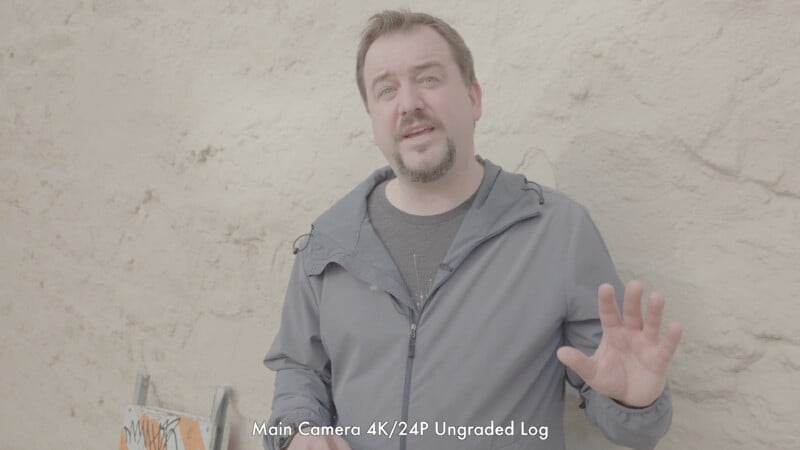
Jordan Drake tested out the video features on the S26 Ultra and had much to say. The headline video spec on the S26 Ultra is the new APV (Advanced Professional Video) codec. This is intra-frame compression, where every frame is recorded individually, meaning quality will not drop regardless of how much movement is in the frame. These are very large files — for example, 4K/30p is captured at around 900Mbps — but fortunately, it can be recorded to an external SSD plugged into the USB-C port. At the time of publication, this footage was only editable in DaVinci Resolve for professional editors or CapCut for the other end of the spectrum.
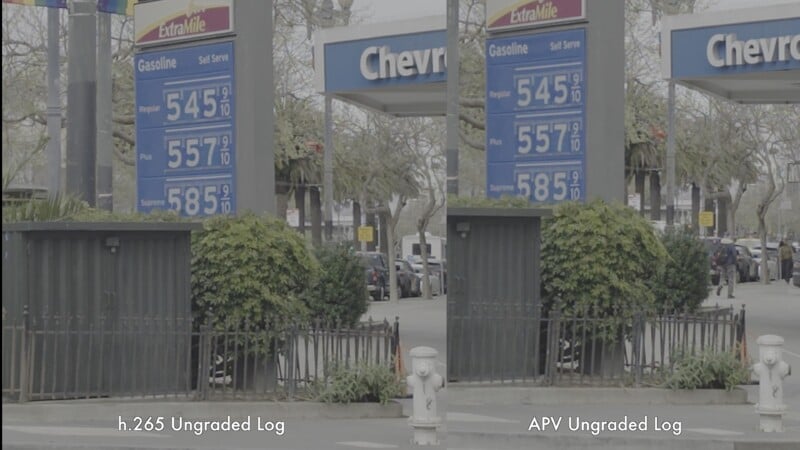
I was hoping to see a slightly different image from APV, as I have criticized Samsung’s standard h.265 log recordings for being overly sharpened. Unfortunately, the APV footage uses the same sharpening, contrast, and saturation as standard Log recordings, so there is no advantage to this format unless there is extreme movement in the footage or heavy post-production work is required. Fortunately, APV recording does lock the framerate, meaning it is acceptable for syncing multiple devices. I’ve given Apple a hard time for their emphasis on ProRes and ProRes RAW as the file sizes make them impractical for most people, and I feel the same about APV.
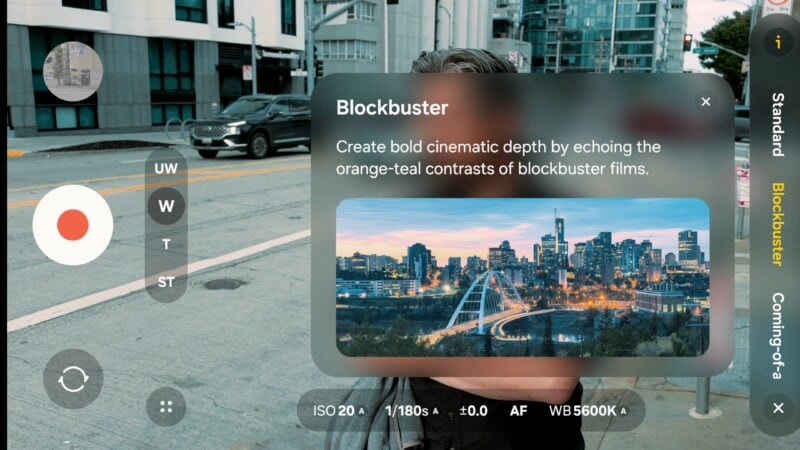
While I still find Samsung’s log over-sharpened, we now have a collection of preview LUTs built into the device. A few are a bit over the top, but I generally liked them. Oddly, though, preview LUTs are unavailable when recording 8K or 4K/120p.
Samsung has worked to analyze the noise patterns from all of the cameras and apply noise reduction to them individually. What differentiates this from the Google Pixel is that it does it on the device in real time, with no need to upload footage for processing. While I didn’t have an S25 Ultra to compare, I can say that the low-light image from the main camera is excellent. The combination of new noise reduction and the brighter aperture is doing a great job. The other three cameras, while probably improved, still look very rough in low light. I would stick to the main camera whenever possible in even moderate light situations.
The other major update is a new horizon lock. This will allow the phone to be rotated 360 degrees while still keeping the horizon fixed. We’ve seen it for years on action cameras, and this will give you incredibly stable footage when walking or running. This mode requires a large crop, the same as the Super Steady mode. By default, the phone will switch to a wider camera when Super Steady mode is initiated, and then crop in to maintain the field of view. Since this mode will primarily be selected when attempting to use the main camera, this means image quality takes a massive hit through the combination of moving to the inferior camera and then cropping heavily. This also means that 8K recording and any of the pro video features are disabled when using this mode.
While Super Steady, combined with horizon lock, certainly creates very stable footage, I find it much more useful in action cameras where the camera will be mounted directly to something that will be spinning around, like a bike, airplane, or skis. When simply holding the camera and attempting to keep it level, I find the image quality compromise too great to engage either Super Steady or Horizon Lock in all but the most extreme situations.
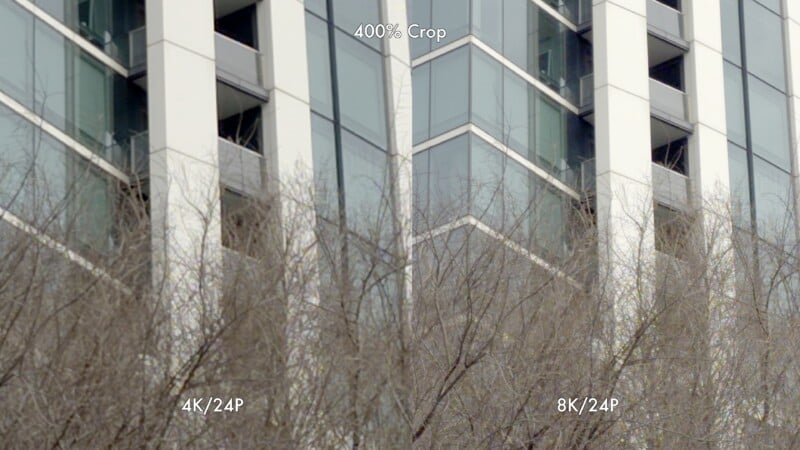
Last year, when doing our Smartphone Roundup, I stated that the Samsung Ultra series was my favorite Android phones for shooting video. That remains unchanged this year. The ability to shoot 8K footage with a noticeable increase in detail over 4K, full manual controls, and log recording without needing to rely on external apps makes this a very compelling option, and the low-light performance of the main camera is the best I’ve yet seen in a smartphone. For this reason, the S26 Ultra is still top of class for the Android phones available in North America.
Samsung S26 Ultra Review: Generative AI
Over the last few years, we have seen Google and Samsung really push generative AI in a big way. Samsung develops its image processing engine all on its own, but it is no secret that it uses the gargantuan amount of data that Google has acquired for generative AI purposes. We know that the realism and capability of AI models will only get better and better, and it is both fascinating and disconcerting at the same time.
The Samsung S26 Ultra puts powerful generative AI into the hands of everyone. Last year, I found the results to be obviously false, with much of the generative AI looking like cutout stickers mashed on top of my images. This time around, the results look far more convincing, and I feel like we have reached a point where the final image will convince the majority of users on social media apps. I’m not interested in putting dragons into the skies of my pics, but I did want to see if the S26 Ultra could make refined changes to my color, compositions, and locations.
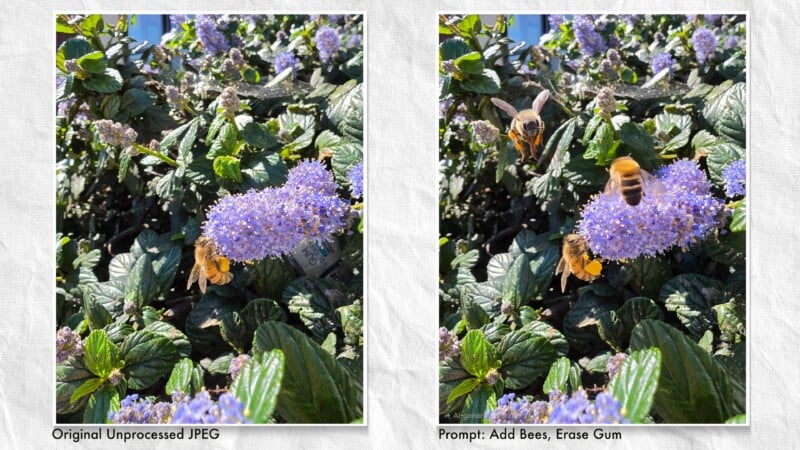
Clicking the Samsung Galaxy stars below an image in the gallery initiates access to the cloud so that changes can be made. The time required to do processing is not instant by any stretch, but it is noticeably faster, with most single AI changes occurring well under thirty seconds. I largely used the prompt-based tool, with my own voice, or by typing, and tried things like changing the time of day to golden hour, or as if the shot were taken at sunset. The results were quite convincing, with shadows accurately created and rim lighting added properly. The presence of obvious halos around subjects was still present, but noticeably reduced.
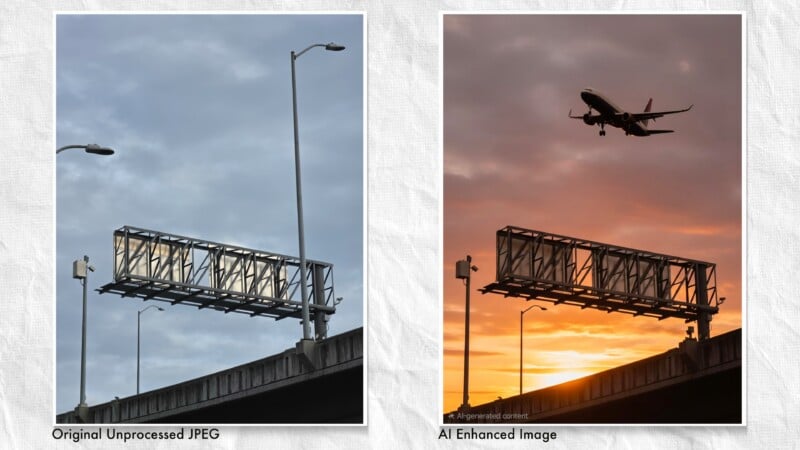
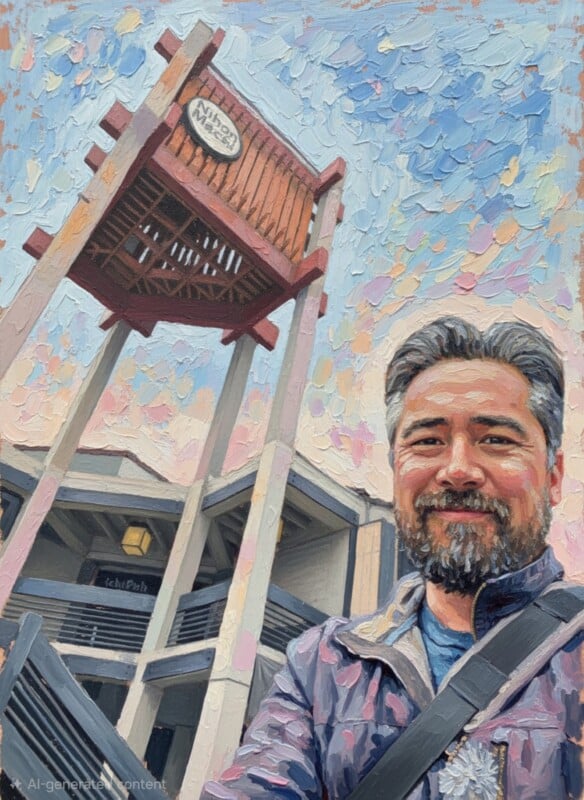
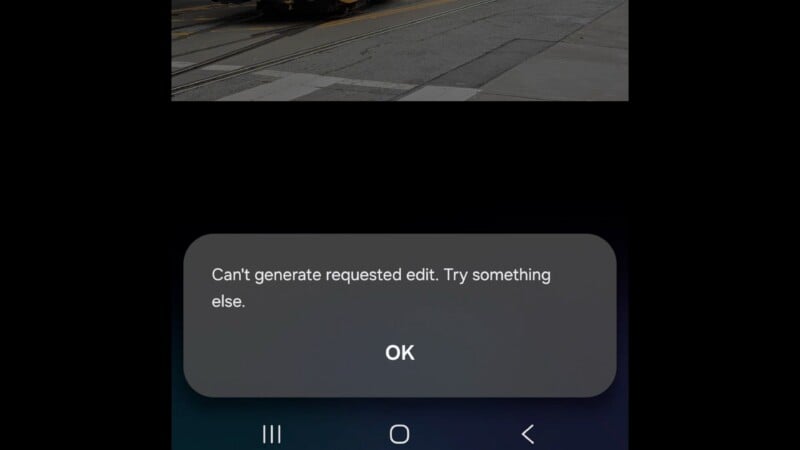
I could add different filter effects by asking for a vintage look or to add warmth, for example, with varying degrees of success. You will still often get a warning that the prompt can’t be deduced, or the phone will do an effect that just doesn’t make sense. But it also often does hit on target, or at least within a couple more attempts. Changing skies, adding clouds, or altering the mood of an image is elementary at this point. I can see users finding joy in turning images into paintings, or anime sketches, as well as creating custom invitations or avatars.
Useful tools like the AI eraser essentially work flawlessly now, and it is easy to make smart selections with the tap of a finger or a swish of the pen. Sometimes applying an AI prompt would go beyond just changing color, though, and would instead delete certain people in the distance, for example. I also found the move tool to struggle when making changes. The selections are excellent, but moving a subject will sometimes delete parts of the image or change the shape of the subject altogether. The pasting effect of the subject to the scene is far more convincing, but I did not find the move tool as reliable as the eraser.
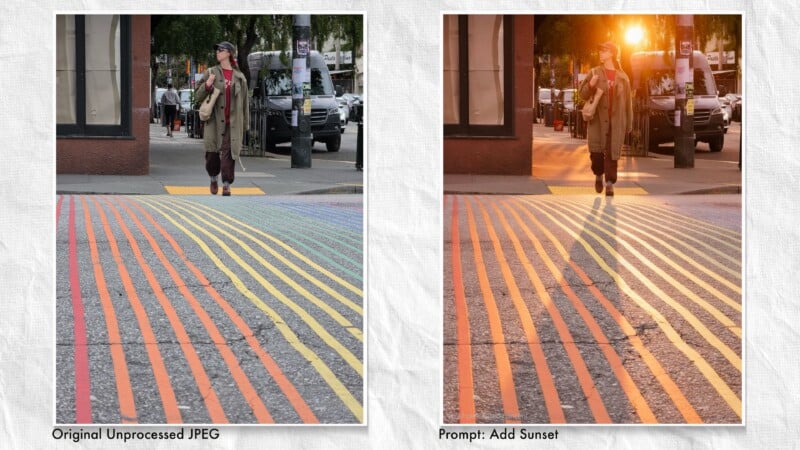
If you want to go beyond this kind of editing, you can create fanciful fantasy images, change the clothes of your subjects, turn images into watercolor paintings, or anime characters. You can also reference images you’ve taken with the camera and paste those into your other pictures. Snap a pic of a jacket you love, and AI will put it onto a shot of yourself. Want to change your shirt color? No problem. Place yourself in front of the Grand Canyon? Easy. But it does raise the question about what is real anymore. Even if I take a picture of my own dog, if I then ask the prompt to reference that image and put the dog in my lap, is the new representation actually my dog anymore? The answer is a simple no, and this means that what we might assume are treasured memories are actually well-crafted fabrications.

How far you want to take this new experience is really up to you. I can see how some of these features can be legitimately useful, how some can be entertaining, and how some can be creative. However, it can also be misleading, and it can also be lazy. Photography should be stressful; it should feel like a hunt for light, you should feel that the chances of good photographs are fleeting, and that you have to put in the work to find them. And yet I can take a photo and effortlessly change the lighting and the location. And that is the keyword: it’s effortless. But photography isn’t effortless, and it shouldn’t ever be.
I have no issue with anyone creating what they want to create and reimagine what they want to reimagine, and using AI creatively is just the latest in a series of digital tools that we have created imagery with, but it’s a different artform at that point. It’s not photography anymore.
I can’t deny that it is very powerful, and it will absolutely continue to astound, but what the ramifications will be for the art form that we know and love is uncertain. The $1,299 Samsung S26 Ultra is definitely a fascinating tool, and a harbinger of what is to come. To the credit of Samsung, there is still plenty within the phone for photographers to bite onto. However, the S26 Ultra is diverging from photography as we know it, and the Samsung corporation is clearly dedicated to seeing how far it can go.
Are There Alternatives?
The Google Pixel 10 Pro is the most similar in terms of its use of generative AI. Both phones will draw from the same data set and are similar in price, too. I would argue that the S26 Ultra goes even further into the generative AI realm.
Should You Buy It?
Yes. As much as I dislike the emphasis on AI, there is no denying that the S26 Ultra is a capable creative tool for advanced photographers. It will all come down to what you are willing to use and what to ignore.