

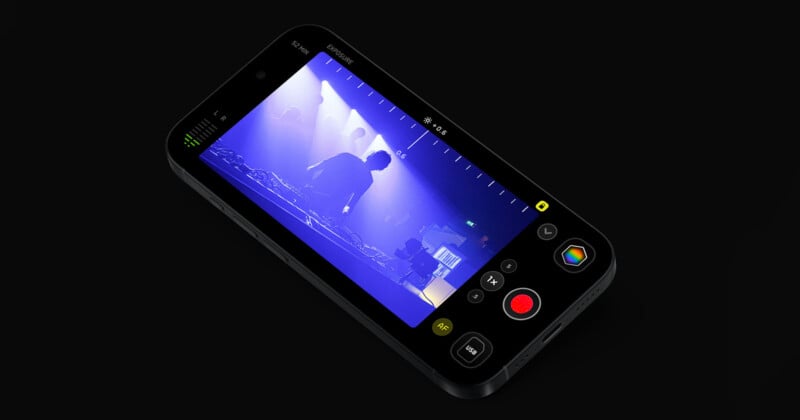
Kino, an iPhone video camera app created by Lux, the same people who make the iPhone photo camera app Halide, received a massive update today that adds Apple Log 2 support.
Apple Log 2 was developed and released alongside the Apple iPhone 17 Pro last fall and captures the most dynamic range and color data possible from iPhone’s newest image sensors.
As Lux’s Ben Sandofsky explains, Apple Log 2 “shines when capturing deep blues and purples… Apple Log is 2 invaluable for any filmmaker going for that ‘John Wick’ look.”
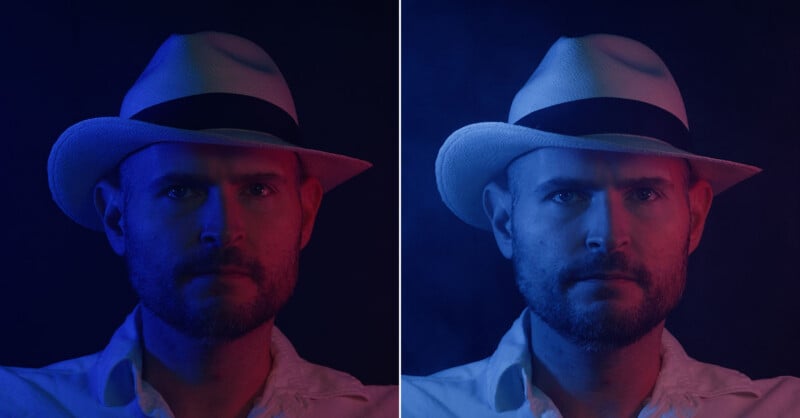
“Apple Log 2 also makes better use of available bits, preserving even more details,” Sandofsky adds.
Camera processing is a vital component of any digital imaging app, from the foundational image sensor level to the final output. As Sandofsky writes, “every camera is opinionated, and this pre-dates modern cameras which use AI and computational photography to ‘fix’ your photos for you.”
Different cameras can capture the same scene at the same time in very different ways. Digital cameras convert an analog signal, photons, into digital data, which is then, through complex image processing algorithms, turned into an image. For certain file types, like JPEGs, many of the decisions a camera makes are set in stone and can’t be tweaked later, at least not while preserving the file’s integrity. Things like white balance, tonal curves, and color tints are set by the camera, often to make an image look the way most people want it to. This is not always the most accurate, by the way. Cameras often oversaturate certain “memory colors,” such as blue skies and green foliage.
When working with RAW image files, the photographer retains control over key processing decisions and can tinker and experiment with the files to their heart’s content. Art is subjective, after all, and not everyone wants their photos to look the way their camera says they should.
Sandofsky says “processed” file formats are built for viewing, rather than editing.
“The best analogy I’ve heard involves cake. When your camera saves a JPEG, that’s like buying a pre-made cake from a bakery. It’s super convenient, assuming you like how the cake was made. If you don’t like raisins, you’ll be miserable plucking them out,” Sandofsky says.
“When your camera saves a raw file, it saves the ingredients to bake a cake. Now you can bake the cake however you want. The tradeoff is that developing these files, like baking a cake from scratch, requires a little extra work.”
All of these same arguments apply to video files, too. While RAW video exists, the technological demands are extreme. Rather than a single image file, a video file is a bunch of images, one after another, almost always at least 24 frames per second, but sometimes as fast as 120 frames per second.
Log video attempts to thread the needle by performing some processing and removing some data to keep the pipeline moving. Log video keeps “most of the important data,” Lux says, “but encodes it in a file that’s much faster than RAW to read and write.”
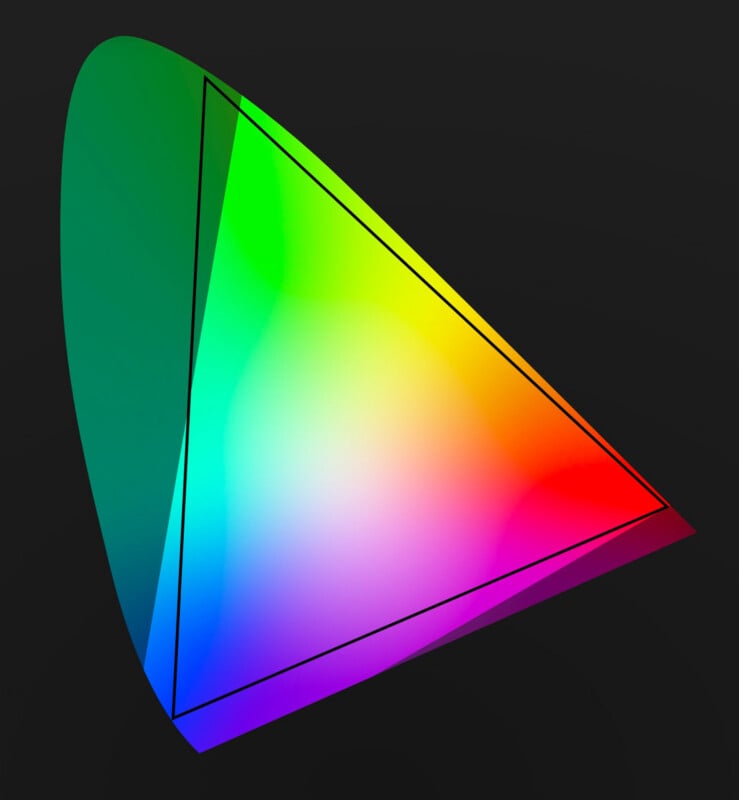
How the color and light data from the image sensor is written to the file is an important part of the broader Apple Log 2 discussion, but ultimately, the explanation is beyond the scope of this story. Sandofsky’s blog post and the video explainer above do a fantastic job of hitting every important note.
However, what’s most important for Kino users to understand is how Apple Log differs from Apple Log 2. The first iteration of Apple Log did a good job with the exposure value aspect of video files, but “skimped out on color.”
Apple Log 2 addresses this shortcoming and features unique real color ranges based on Apple’s actual image sensors, meaning that Apple Log 2 keeps even more of the important data from the image sensor, especially as it relates to color.
“It also includes more color in deep blues and purples,” Sandofsky says.
Interestingly, all of that work does not necessarily make a huge difference in most real-world scenarios. However, Apple has dedicated time and resources to improving iPhone video recording capabilities in fringe cases, which matter significantly to some users.
Which is why Kino version 1.4 now supports Apple Log 2.
“Because of course we need to offer the highest quality image,” Sandofsky says.
As his extremely detailed blog post implies, adding Apple Log 2 support to Kino was not a matter of “flipping a few flags.”
The Lux team had to rewrite parts of the app to support the expanded color range, which has been difficult given that the team is also working on Halide Mark III, which, as Sandofsky says, is the team’s top priority.
Kino is still an important part of the company’s plans — “I love working on Kino,” Sandofsky says — and the company’s long-term plan is to unify how the two apps render images, whether still or motion. As Sandofsky’s detailed blog illustrates, there are many similarities between RAW photos and Log video.
“In fact, my slight detour into Kino already helped with Halide Mark III. Both apps now use the new Apple Gamut color space for their image processing, the same color space that powers Apple Log 2,” the developer adds.
“That said, Kino and Halide will always remain separate apps. Photography and motion pictures are two separate art forms that call for very different user experiences.”
Kino 1.4 is available in the App Store now as a free update for existing users. The app is $9.99 for new users.
Image credits: Lux Camera