
Digital photography is about technical perfection and “clean image data”; film photography is about emotion, character, soul… At least those are the cliches! Except, what if you could blow away all the stereotypes and have all of those things at your fingertips? It sounds too good to be true, however, this DxO Film Pack 8 review might change your mind.
DxO Film Pack 8 is an immersive update, establishing an unprecedented connection between digital photographers and, well, virtually the entire history of film photography!
For those of you who aren’t familiar with DxO, it is one of the best digital raw conversion engines around. If you’re looking for more of a workflow solution, however, you’ll want to check out DxO PhotoLab 9. Today, we are checking out DxO Film Pack 8, which is a stand-alone application as well as an add-on to PhotoLab 9 that can also be used as a plugin with Lightroom and Photoshop.
Note: This review includes a reader discount code, which appears in the pricing section below.
In this DxO Film Pack 8 review, we will tell you what it’s all about, and how we like to use it. Then, we’ll dive deeper into the image quality, the pros & cons (both technical and creative), and the overall value versus competitors.
Simply put, we had a lot of fun exploring the educational interface known as Time Machine, and we lost track of time while playing with our own images in the Time Warp feature! With new films, new features, and various other improvements in this latest version, let’s dive into this review…
DxO Film Pack 8 | What Is New? What Is Tried-And-True?

DxO has always been about optimal image quality; their image results have garnered them a place of honor in the eyes of discerning photographers. If you want to really pixel-peep the fine details of your RAW photos, DxO PhotoLab 9 offers one of the most advanced RAW conversion engines available. The same core processing technology also powers DxO PureRAW, while DxO FilmPack adds authentic analog film renderings to the workflow..
We’ll avoid the nitty-gritty technical details for this review, but basically, DxO’s raw conversions don’t just “bake in” certain edits or corrections, such as for distortion and vignetting with modern digital camera lenses which rely heavily on a “profile” for the raw image data to be useful. DxO offers users access to the most pure forms of the raw image data.
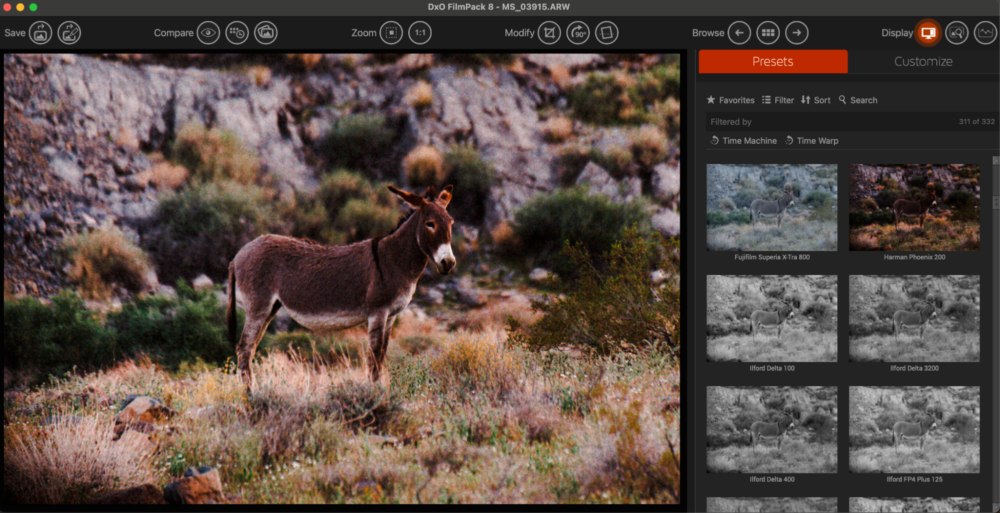
Of course, in DxO Film Pack 8, the same underlying raw conversion engine is there, but this software in particular is more focused on the tone and color “response” of your digital raw images, relative to the classic films from throughout the history of photography.
Indeed, with this latest version of DxO Film Pack, you’ll actually learn about the history of photography while editing your photos! This was one of the most delightful aspects of the process of reviewing this software. We didn’t just “click on some presets” and get a “cool vintage” look to our images. We were able to achieve the look of very specific films, and even achieve the same tones and colors found in various iconic, historic photographs.

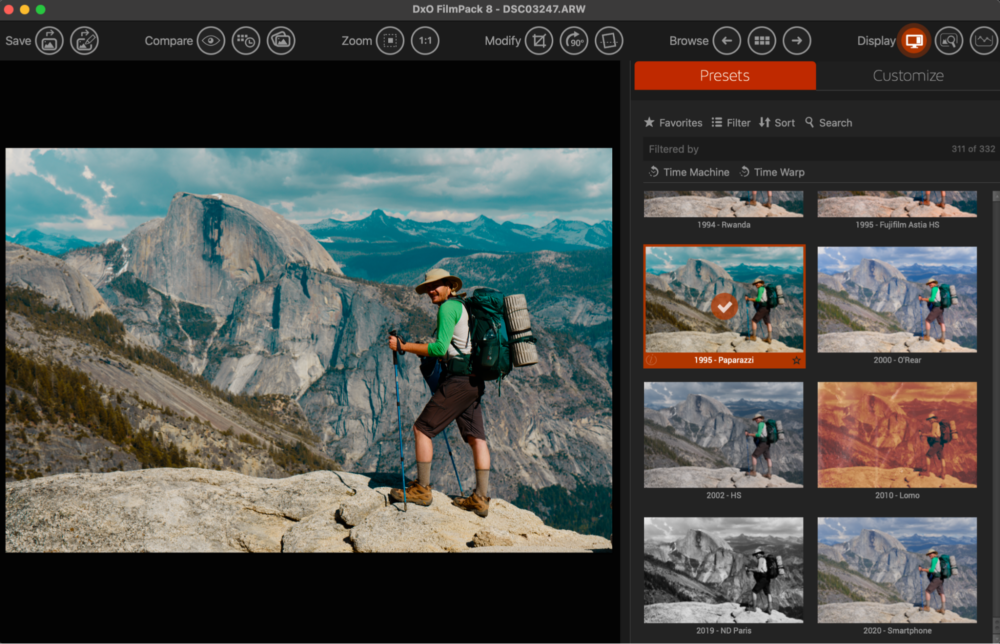
We will get into the big features next, but first, let’s talk about the crown jewel of DxO Film Pack 8: the collection of film emulation has expanded its vast arsenal of films with 15 new film renderings. We particularly enjoyed playing with “Harman Phoenix 200”, and also, Lady Grey B&W 400, as well as CineStill 800T (Tungsten).
Of course, the whole collection contains virtually all the classics. Personally, I see literally every film that I can think of! (I first picked up a film camera in 1999)
DxO Film Pack Films
As a landscape photographer, I’ve always been in love with Fuji Velvia 50, Fuji Provia 100, and Kodachrome 64. As a portrait photographer, there’s nothing like Kodak Portra 160 and Fujifilm Pro 400H. My favorite B&W Film, Fuji Acros 100, is also there, of course. Even the quirky films, the “nobody knew about this one but I absolutely loved it!” type films, (I went and bought every single roll I could when it was discontinued!) …such as Agfa Ultra 100… All of these are available in DxO Film Pack 8. (Note: I do believe that some or all of these films were also available in Film Pack 7, mind you.)
In total, it’s a completely un-matched collection. We will talk about “presets” and “actions” (usually Lightroom and Photoshop terminology) later, but suffice it to say, even if you’ve bought a preset pack sometime in the past, this is nothing like you’ve ever seen before.
DxO Film Pack 8 Review | New & Improved Features
Now, there are a few different avenues down which you can go, when you’re itching to dive into the history of photography while editing your own photos…
Time Warp | Time Machine
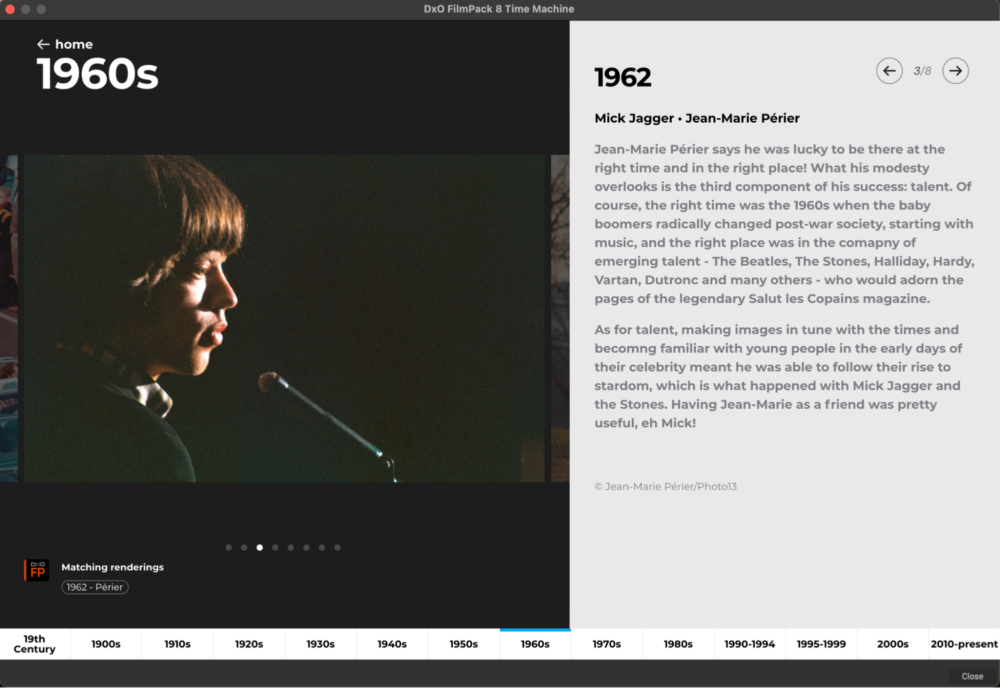
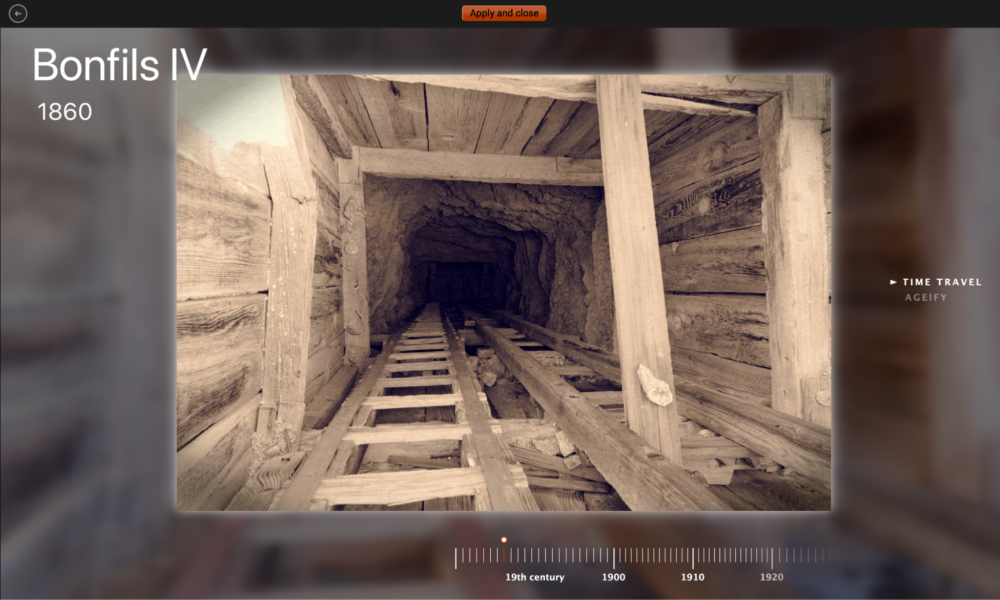
Time Machine is the feature that shows you historic images and teaches you about the history of photography itself. This can be a truly pleasant rabbit hole to go down, inspiring us to get out and create new imagery, or go back through our archives and revisit old memories.
For each photo presented, you get to see exactly what film to use, and also what additional settings you can use to achieve a virtually identical look in your own images.
NOTE: The app can be launched as its own stand-alone app, or it can be accessed from within DxO PhotoLab 9, Lightroom, and Photoshop. However, if you’re accessing DxO Film Pack 8 from within DxO PhotoLab 9, the various Time Warp tools can have a completely different interface. We recommend just launching Film Pack 8 for the best experience.
Time Warp | Time Travel Mode
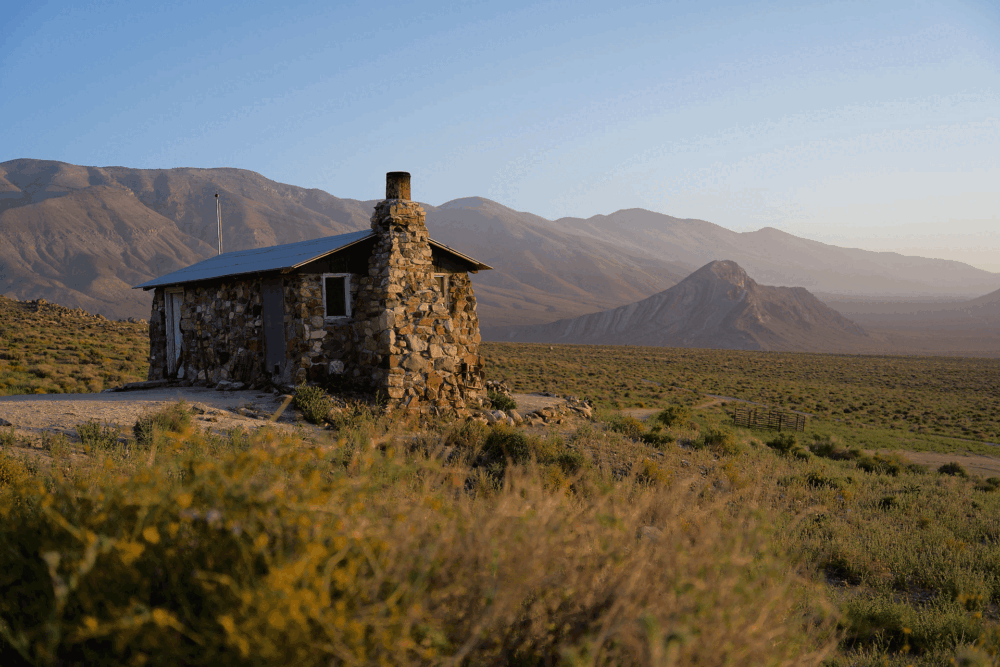
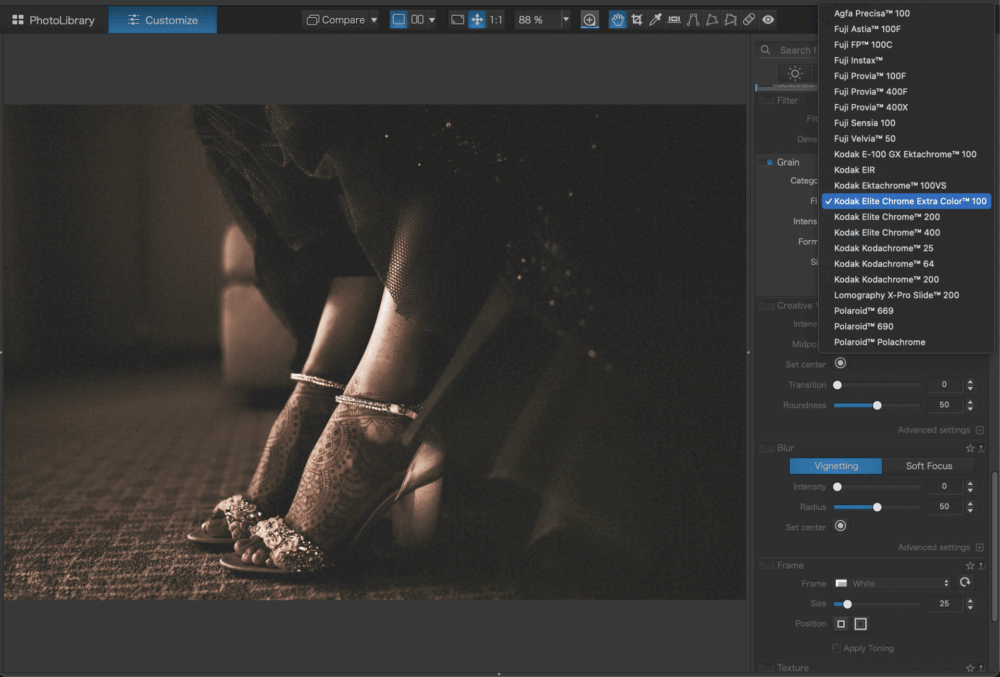
In Time Travel Mode, you skip the “history of photography” class, and just go straight to editing your own photos. You still get access to the same overall edits as in Time Machine, but the focus is on your own imagery.
Again, you can dive deeper into the raw conversion, and play with the exact film used, as well as adjust or remove the various additional settings such as vignetting or frames, etc.
Time Warp | Ageify
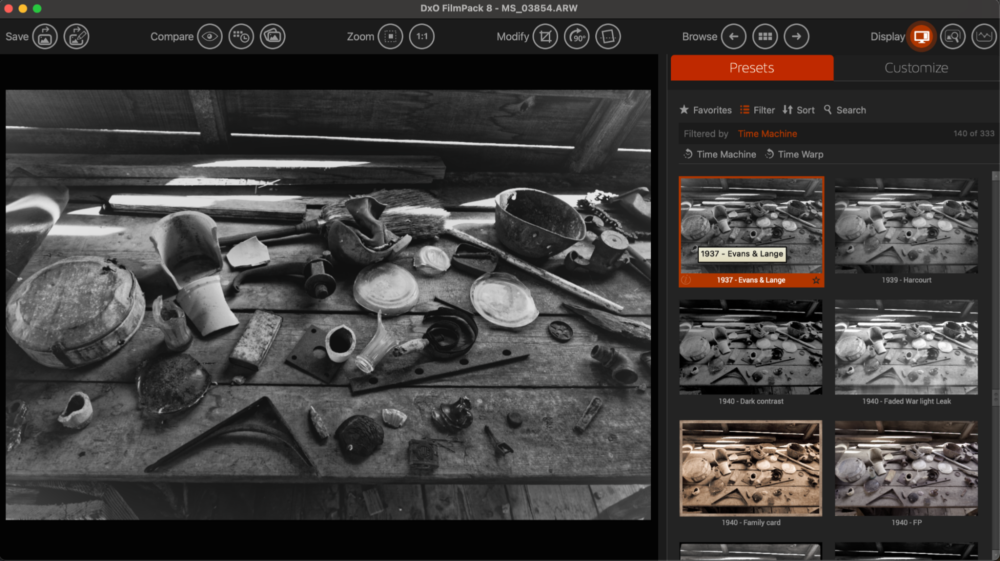
The most “high-speed” of the features, Ageify is basically a slider that allows you to rapidly scroll through increasingly aged versions of your photos. It’s a nifty, quick tool to play with. Although we prefer to stick with Time Travel Mode.
DxO Film Pack 8 Review | Performance & Reliability
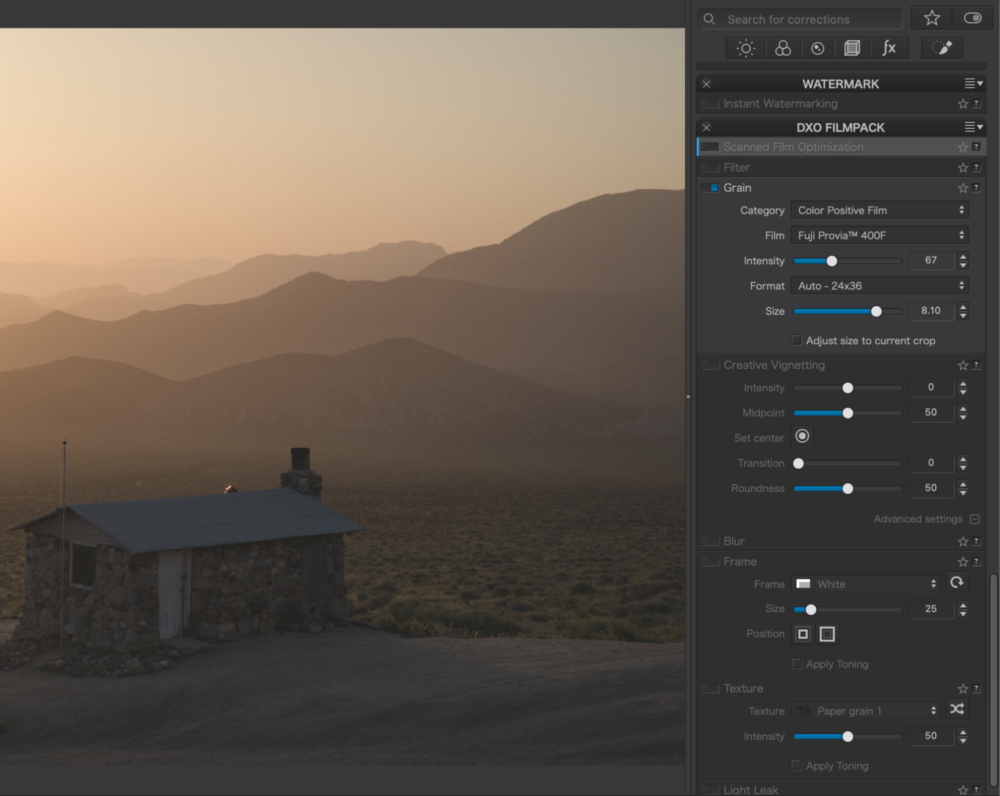
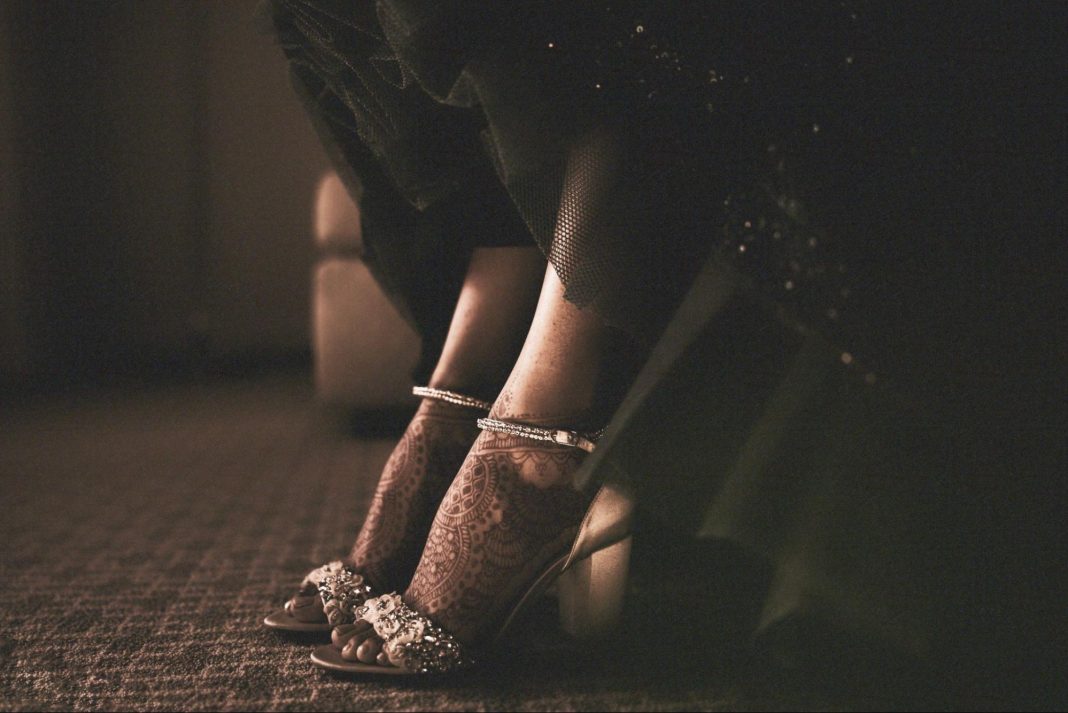
What you want to know is, how do the results actually look? Well, we are blown away by both the technical details and the creative vision of each “look” achieved with our own imagery.
Having actually used quite a few of the films included in DxO Film Pack 8, I can honestly say that I think they nailed all my favorite films. The colors, the contrast, dynamic range, …it’s all stunningly accurate. Of course, considering the extremely limited dynamic range of many films, I’m eternally grateful for the fine-tuning adjustments that are possible; I often find myself adjusting the common sliders for highlights, shadows, etc.
One of the things we’ve noticed with modern photo editing software, however, is that it’s extremely resource-hungry. With its hover-over and semi-automatic previews, DxO Photo Pack 8 seems bound to be a “resource hog”. Honestly, though? Even on a ~5 year old computer, I didn’t find it to have much lag at all. It does “bog down” from time to time, but it’s minor, and honestly, that’s normal for every photo editing app these days, especially on older computers.
All in all, we’re pleased with both the results and the reliability of DxO Film Pack 8. The exported images are gorgeous, and the experience is smooth, intuitive, and fast.
DxO Film Pack 8 VS The Competition | Lightroom Presets, Capture One
Let’s make this super simple, and not beat around the bush: Everyone is familiar with Lightroom. It’s the biggest name out there and it’s been around forever. (Well, I remember before LR, but we’ll get to that later…) Lightroom is known as a good all-around workflow tool, good for beginners and pros alike.
We’re not here to compare all of Lightroom’s capabilities with what DxO Film Pack 8; that would be DxO PhotoLab 9’s job, as a catalog & raw conversion tool. Today, we’re here to compare one thing: how do you emulate film in Lightroom, and how does it compare to what DxO Film Pack 8 offers?
The bottom line is this: No Lightroom preset pack that we’ve ever used can compare to the vast collection offered in Film Pack 8. Furthermore, the precision of the results is generally far superior, too. In short, if you’re interested in film emulation, you really should be using this, and nothing else.
Similarly, Capture One is a big DAM tool. (Digital Asset Management) They’ve been around for many years and have a solid reputation especially among high-end professionals who do a lot of tethered studio (and on-location) photography. There’s a slightly steeper learning curve, but the advanced tools are worth it, and the image results are, in my humble opinion, better than Lightroom, usually. Right out of the box, the default raw conversions from Capture One do tend to be more “film-like”, and honestly, they make Lightroom’s raw conversion look, well, …digital…
Having said that, once again I find myself seeing no real way to compare anything in Capture One to the sum total of films emulated by DxO Film Pack 8. They’re just Apples & Oranges.
In conclusion, if you want a high-powered workflow tool, you might consider one of those alternatives. But if you want film emulation, DxO Film Pack 8 is everything you could ask for, and stands head-and-shoulders above all competitors.
DxO Film Pack 8 Review | Final Pros & Cons
Once again, let’s be clear and to the point: DxO Film Pack 8 is a powerful tool; but it’s just one tool, it’s not a whole workflow solution. Honestly? The price tag reflects this, and the value is impressive.
Pros
- Unmatched, superior fidelity of film emulation, integrated with high-quality raw conversion engine
- Incredibly vast collection of films
- Beautifully curated collection of historic imagery, including the “looks” of many iconic images (Looks = film stock emulation + processing effects)
- Extensive control for fine-tuning the look of any film
- Excellent raw conversion / development tools & interface
- Generally smooth operation, minimal lag
Cons
- Stand-Alone App does not have full raw editing toolset (Need Photo Lab 9, Lightroom, or Photoshop)
- Browser interface is missing filters
- Preview generation can slow things down a bit for older computers
- DxO PhotoLab 9 integration is missing the identical interface of Film Pack 8’s “Time Warp” system
All in all, there’s no avoiding the obvious conclusion: If you want what DxO Film Pack 8 has to offer, there’s absolutely no better choice, period.
DxO Film Pack 8 Review | Pricing & Value
This is a very important aspect of any software purchase these days: When you buy DxO film Pack 8, you own it for life. In fact, it’s worth mentioning that DxO doesn’t even offer monthly subscription options for their software; as far as we can tell, (yes, including DxO PhotoLab 9) …everything is sold as a perpetual license.
Honestly, this is a pleasant surprise for us in 2026. Not only is the purchase an incredible value, but it’s also a relief to not feel pressured to continually pay a “software bill” every single month forever. With other software, it can feel like we’re throwing our money down a bottomless pit. With DxO software, we never have to worry about it or all the hard work we’ve done on our photos, being held ransom if we don’t pay.
(Note: for those who would like to break up the investment into just a few smaller payments, you do have the option to pay in four installments. This might be useful for those who wish to purchase both DxO Film Pack 8 and DxO PhotoLab 9 as a bundle. (Currently $309.99 total, or four payments of $77.50)
You can get 15% off DxO PhotoLab 9 or any other DxO software using discount code “SLRLounge” (valid for new customers).
With all of this in mind, and considering the excellent value in what Film Pack 8 offers in terms of un-matched image results, we can highly recommend the long-term investment.
DxO Film Pack 8 Review | Conclusion
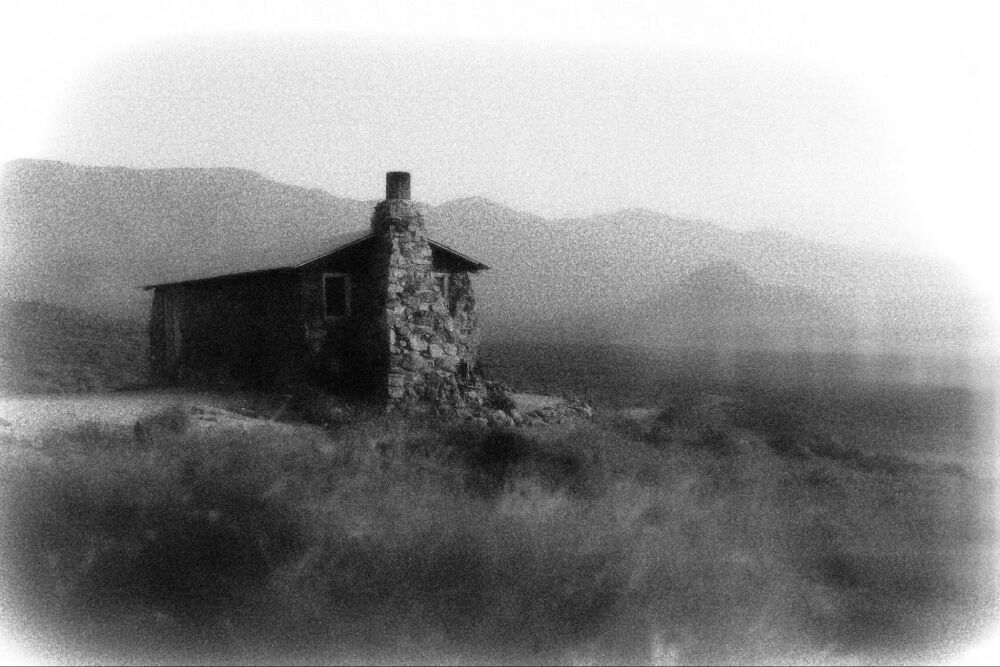
Overall, I’m thrilled with the results that I’m seeing from DxO Film Pack 8. They go far, far beyond what we know as “presets” in the traditional sense. On the one hand, they are not meant to be one-click edits for your images. On the other hand,
The 15 new films are a welcome addition to the collection.
What DxO has delivered is something that, in my opinion, is so much more. Being able to emulate virtually every film that I’ve ever loved, with incredible accuracy, is quite simply worth its weight in gold. No other photo editing software, nor any one “preset pack”, nor Photoshop actions, offer such a comprehensive collection of films. It is therefore no exaggeration to say that, pure and simple, if you are a digital photographer who still loves film, you absolutely need DxO Film Pack 8.
To check out DxO Film Pack 8, you can visit their shop here. If you’re just getting started with DxO and want to purchase Film Pack 8 alone, the starting price is currently $149.99. To upgrade from Film Pack 7, you can pay $89.99.
For those who are also looking for a comprehensive workflow solution as well, to organize all your photos and perform both basic color correction and advanced edits, there is a bundle with both DxO PhotoLab 9 and DxO Film Pack 8, currently available for $309.99
Be sure to use discount code SLRLounge during checkout to get 15% off Film Pack and any other DxO software (Valid for new customers).